

Design techniques
Light and Dark mode in Power BI: what follows a measure, and what doesn't
A real Light and Dark switch with one slicer and colour measures, and the four things Power BI won't recolour from a measure, with the fix for each one.
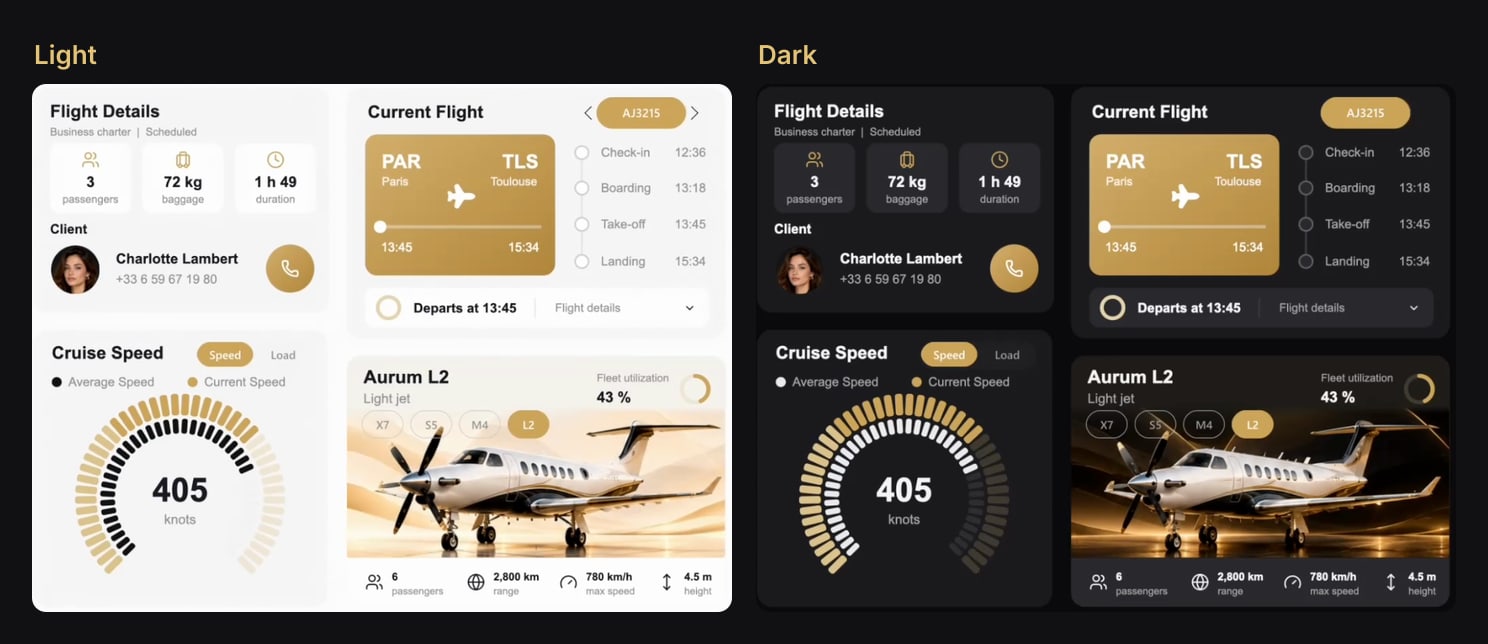
At the bottom of the menu in Aurum Jet, a free Power BI report, there is a small switch: Light | Dark. Click Dark, and the whole report changes: the page, the cards, every chart, the route map, the jet photos, even the filter drawer.
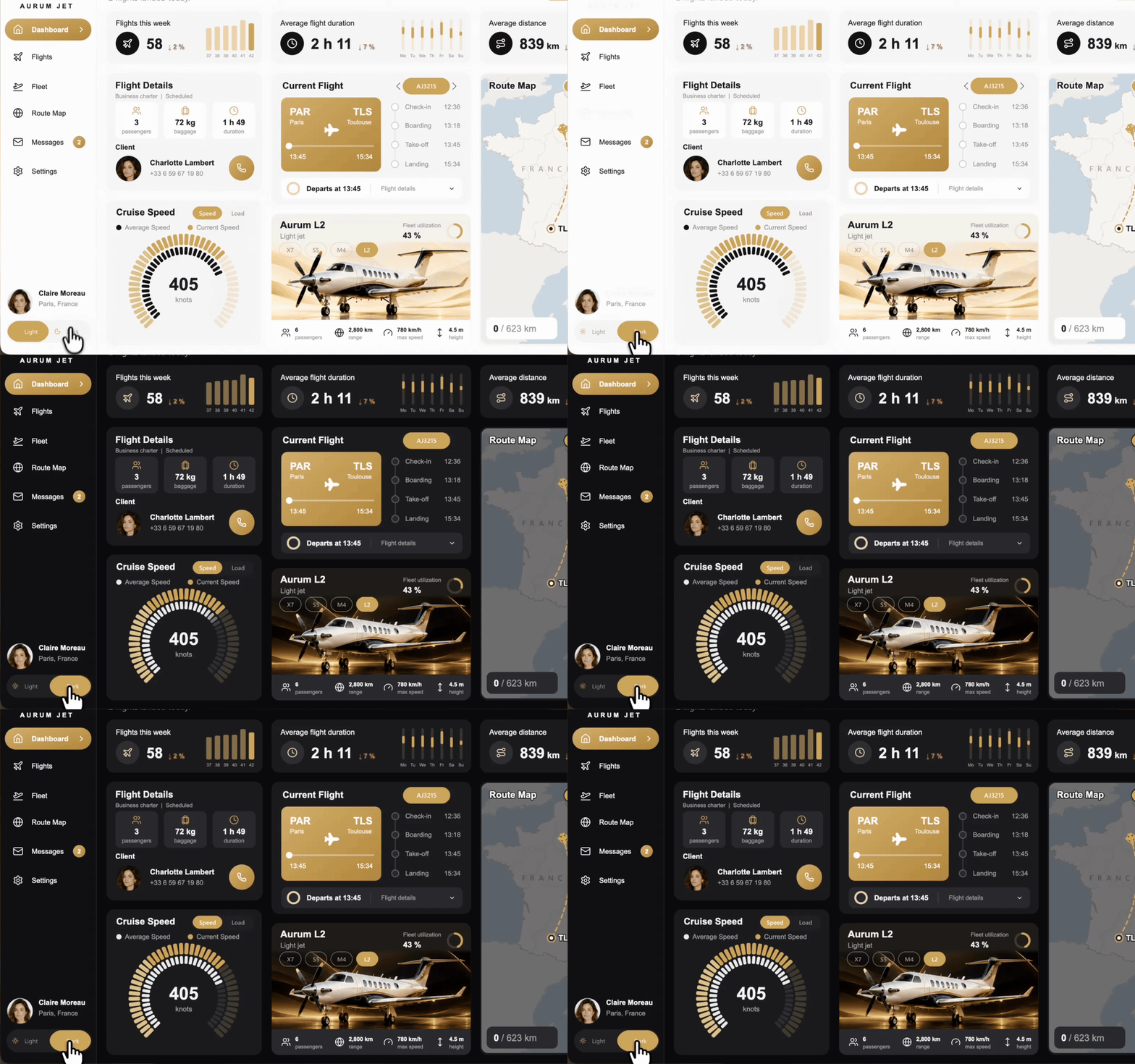
Most Light and Dark tutorials stop at "bind your colours to a measure". That part is real, and it is the easy part. This article covers it in a few lines, then spends its time on the four places where Power BI ignores the measure, and on what Aurum Jet does instead.
The base: a theme table and one measure per colour
The switch is a button slicer on a two-row table:
Theme = DATATABLE ( "Theme", STRING, "Ordre", INTEGER, { { "Light", 1 }, { "Dark", 2 } } )Theme is sorted by Ordre, so Light comes first. The slicer always keeps one item selected, starts on Light, and is synced across the report pages (one sync group named Theme), so the choice follows the user from page to page.
One measure reads it, with a default for the moment nothing is selected:
Selected theme = SELECTEDVALUE ( Theme[Theme], "Light" )Then every colour of the design becomes a measure. Aurum Jet has 25 of them:
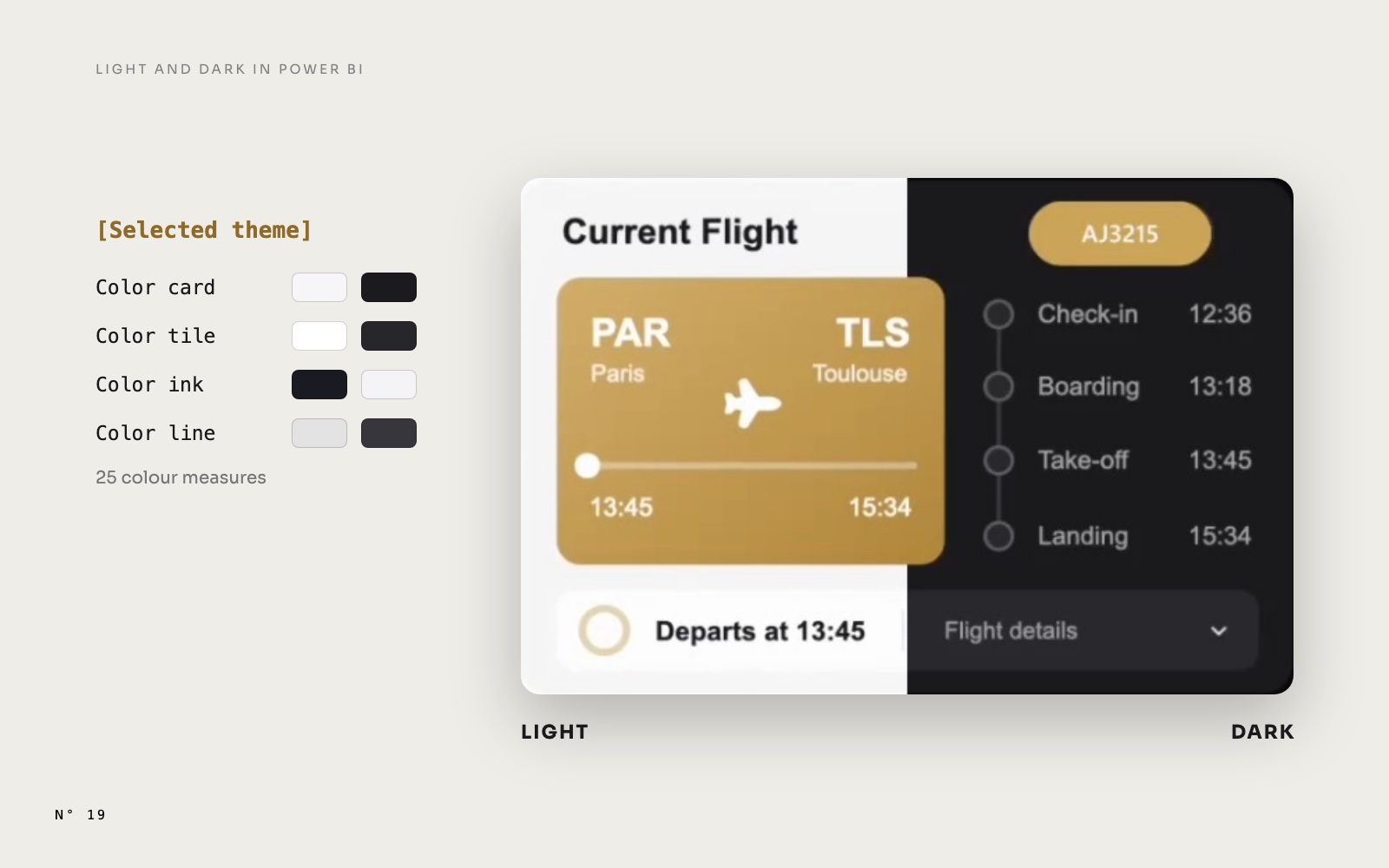
Color page = IF ( [Selected theme] = "Dark", "#0F0F11", "#FEFEFE" )
Color card = IF ( [Selected theme] = "Dark", "#1B1B1E", "#F6F6F7" )
Color tile = IF ( [Selected theme] = "Dark", "#27272B", "#FFFFFF" )
Color ink  = IF ( [Selected theme] = "Dark", "#F4F4F5", "#191A21" )
Color line = IF ( [Selected theme] = "Dark", "#36363B", "#E3E3E3" )
The gold (#C89C50) has no measure: it reads well on both backgrounds, so it stays fixed.
Since every chart in the report is an SVG drawn by a measure (see SVG measures in Power BI cards), the drawings read those measures instead of hex codes. Each SVG measure declares the colours it uses at the top, then writes them into its attributes:
VAR _c_card = [Color card]
VAR _c_ink = [Color ink]
…
"<rect x='1' y='1' width='353' height='618' rx='17' fill='none' stroke='" & _c_card & "' stroke-width='4'/>"
Native visuals use the same measures wherever the Format pane has an fx button: choose Field value and pick the colour measure. The greeting "Welcome back, Claire!" is a card whose text colour is Color ink.
That is the whole mechanism. Now the exceptions.
1. The page background ignores measures
The obvious first step is to make the page itself dark. A page's background colour can be written as a measure in the report file, and the file validates. But Power BI Desktop ignores it: the page stays white in Dark mode.
So in Aurum Jet, the page background is not the page's background. It is a card visual of 1440 × 872, the size of the page, placed behind everything else and showing one measure, Page background (SVG). That SVG draws the page colour, the side menu, the hairline next to it and the surface of every card, all with colour measures:
"<svg xmlns='http://www.w3.org/2000/svg' width='1440' height='872' viewBox='0 0 1440 872'>"
    & "<rect width='1440' height='872' fill='" & _c_page & "'/>"
    & "<rect width='216.7' height='872' fill='" & _c_sidebar & "'/>"
    & "<rect x='238.5' y='101.9' width='347.6' height='118.7' rx='17' fill='" & _c_card & "'/>"
    …
It is the same idea as a designed page background, except that the picture is a measure instead of a PNG, so it can change with the theme. The alternative, one page per theme with a fixed image behind each, means two copies of every visual to keep in sync.
2. Button slicer states ignore measures
A button slicer has states: default, hover, selected. Each one has a fill and a text colour. The report file accepts a colour measure for them, but in our tests Desktop didn't apply it: the pill kept its fixed colour.
Aurum Jet uses two answers, depending on the slicer.
Fixed colours that read in both themes. The period pills (Today, Week, Month, Year), the aircraft chips, the Speed and Load switch and the theme switch itself use a gold pill with white text for the selected item, and grey text for the others, with a transparent fill. What sits under them, the rounded base of the control, is drawn by an SVG in colour measures. So the base follows the theme, and the slicer on top doesn't need to.
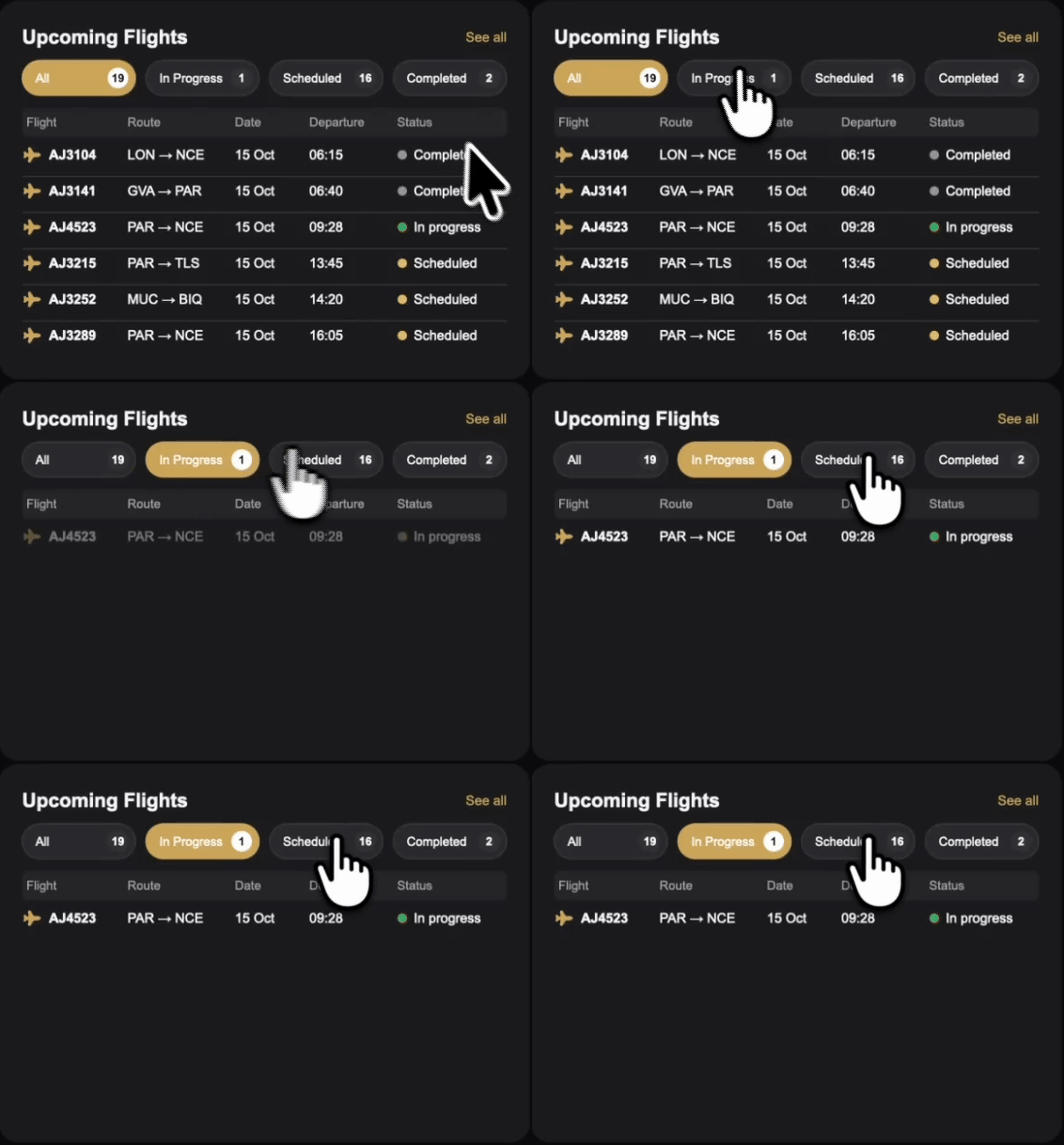
An invisible slicer over a drawing. On the Flights page, the tabs of the Upcoming Flights card show a count in a badge, and the selected tab is gold. A button slicer can't draw a badge. So the slicer is there, four columns over the four tabs, but nothing of it is visible: text at 1 pt with 100 % transparency (turning the value off is ignored on this slicer), and fills at 100 % transparency in the default, hover and selected states. The tabs are drawn by the card's SVG, which reads the selection:
VAR _s = [Selected flight status]
…
"<rect x='22' y='58' width='109.75' height='34' rx='17' fill='" & IF ( _s = "All", "#C89C50", "" & _c_tile & "" )
    & "' stroke='" & IF ( _s = "All", "#C89C50", "" & _c_line & "" ) & "' stroke-width='1'/>"
Selected flight status is SELECTEDVALUE ( 'Flight status'[Status], "All" ), on a small disconnected table with four rows. The counts in the badges come from the same measure. The list under the tabs is part of the same drawing. Click a tab: the slicer changes the selection, and the measure paints the new tab gold and keeps only that tab's flights in the list.
The theme switch has one more detail: its sun and moon icons. A button slicer can show an image on each button, from a measure. The measure is evaluated once per button, so SELECTEDVALUE ( Theme[Theme] ) inside it returns that button's own value, and Theme icon (SVG) returns a moon for Dark and a sun for Light.
One native visual does accept measure colours in its items: the classic slicer in dropdown mode. Its item text and background took Color ink and Color tile in our first flight picker.
3. Photos have no colour to change
A measure can recolour a drawing. It can't recolour a photo. Aurum Jet does two different things.
Two versions of each jet. Every model has a Light photo and a Dark one, cropped to the band of the fleet card. They are stored in the model as base64 text in a table, Jet image, with one key for the model and one for the theme, and the measure picks the right one:
Jet image =
VAR _m = [Shown model ID]
VAR _t = [Selected theme]
VAR _b = CONCATENATEX ( FILTER ( 'Jet image', 'Jet image'[ModelID] = _m && 'Jet image'[Theme] = _t ), 'Jet image'[Chunk], "", 'Jet image'[Part], ASC )
RETURN IF ( NOT ISBLANK ( _m ), "data:image/jpeg;base64," & _b )
The photos are split into chunks of 30,000 characters because a text value loaded into the model stops at 32,766 characters. That technique is not ours: Chris Webb described it in Storing large images in Power BI datasets. What the theme adds is the second key.
A veil over the map. The map of France on the Dashboard is a single light image. In Dark mode, the SVG drawn over it starts with a dark rectangle whose opacity is a colour measure:
Color mapdim = IF ( [Selected theme] = "Dark", "0.62", "0" )

"<rect x='-3' y='-3' width='361' height='626' rx='19' fill='#0E0F12' fill-opacity='" & _c_mapdim & "'/>"
One image, two looks, no second map to maintain. A veil works on a map because a darker map still reads. On a product photo, it just looks dim, which is why the jets have two versions.
4. A page with a Reset button forgets the theme
The funnel at the top of each page opens a filter drawer. It is a hidden page with a blurred picture of the report as its background, as in our settings panel: five filters synced with hidden copies on the report pages, a Reset button and a Show results button. Reset is a button with the Clear all slicers action.
That action clears every slicer on the page. If the drawer carried a copy of the Theme slicer, so that it could know which theme to use, Reset would clear it too, and the theme would jump back to Light. That is exactly what happened in our first version.
So the drawer page has no Theme slicer at all. But then it can't know the theme, so its colours can't follow a measure. The answer is two drawer pages, each with its own literal colours and its own blurred backdrop: Filters light and Filters dark.
The funnel then has to open the right one. Its action is Page navigation, and its destination uses conditional formatting (the fx button next to Destination) bound to a measure that returns the page's display name:
Filters page = IF ( [Selected theme] = "Dark", "Filters dark", "Filters light" )On the drawer, the ✕, Show results and a transparent button over the blurred area all use the Back action, so the drawer returns to the page it came from.
Reset now does what it should: it clears the five filters and their synced copies, the badge on the funnel goes back to 0, and the theme stays where it was. The badge itself is a measure that counts the filters in use:
Active filters = INT ( ISFILTERED ( DimModel[Model] ) ) + INT ( ISFILTERED ( FactFlight[Type] ) ) + INT ( ISFILTERED ( DimClient[Tier] ) ) + INT ( ISFILTERED ( FactFlight[Origin] ) ) + INT ( ISFILTERED ( FactFlight[Destination] ) )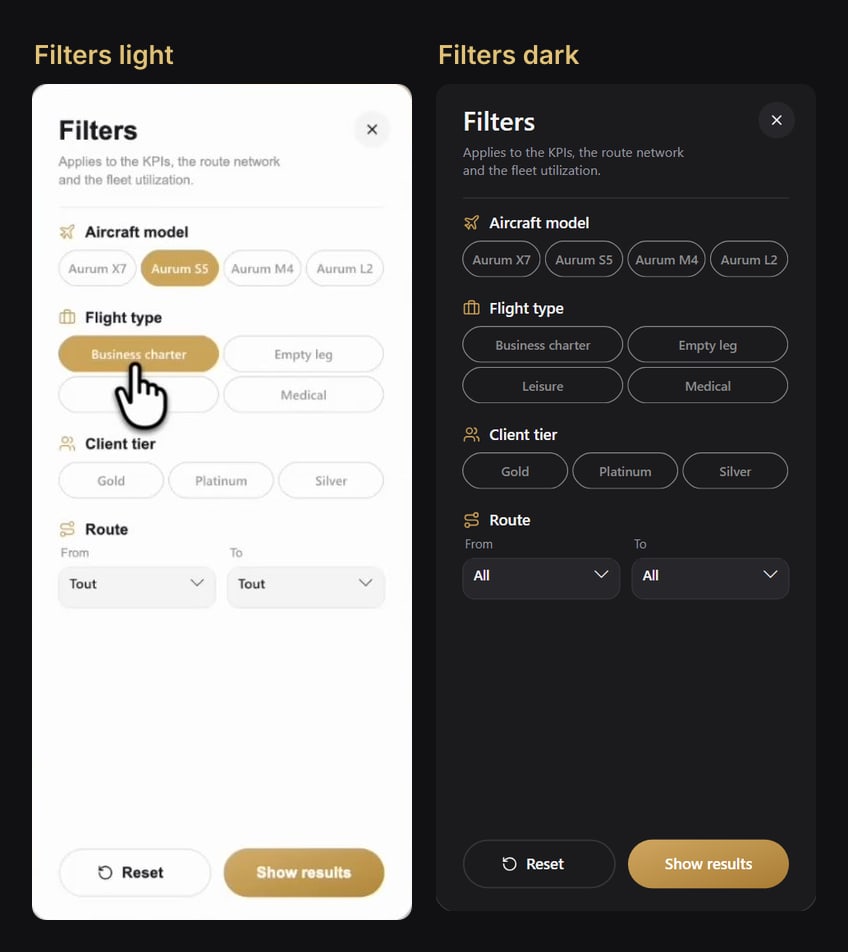
What follows a measure, and what doesn't
| Element | Follows a colour measure? | What Aurum Jet does |
|---|---|---|
| An SVG drawn by a measure | Yes | reads the 25 colour measures |
| The text colour of a card (fx) | Yes | Color ink, Color muted |
| A classic slicer in dropdown mode (fx) | Yes | item text and background |
| The page background colour | No, ignored by Desktop | a full-page card showing an SVG measure, at the back |
| The states of a button slicer | No | fixed colours that read in both themes, or an invisible slicer over a drawing |
| Photos | No colour to change | two versions picked by a second key, or a dark veil |
| A page with a Clear all slicers button | It loses the theme | one page per theme, and a destination computed by a measure |
Build it in Power BI Desktop
- The table. Create
Themewith theDATATABLEabove, and sortThemebyOrdre(Column tools, Sort by column). - The measures.
Selected theme, then oneColor …measure per colour of your design. Name them after their role (card, ink, line), not their value. - The switch. A button slicer on
Theme[Theme], single select, one item always selected, Light selected. Open View > Sync slicers and sync it on every report page, not on the drawer pages. - The drawings. In every SVG measure, replace each hex code by its colour measure. Search the model for
#afterwards: a forgotten code is the classic bug, a white line on a black page. - The native visuals. Wherever fx is offered for a colour, choose Field value and the colour measure.
- The background. A card the size of the page, at the back of the selection pane, showing your background SVG measure.
- The slicers. Pick fixed colours that work on both backgrounds, or make the slicer invisible and draw its states in the SVG under it.
- The photos. Two versions per photo with a theme key, or a veil whose opacity is a measure.
- The drawer. One hidden page per theme, without the Theme slicer, and a navigation button whose destination is a measure returning the page name.
The traps
- Validation is not rendering. A page background bound to a measure passes the report validator and is ignored by Desktop. Check every theme change in Desktop itself.
- Turning a button slicer's value off is ignored. To hide its text, set it to 1 pt with 100 % transparency.
- Images leave a light edge in Dark. A photo placed exactly at the size of a rounded card shows a thin light line around it on a dark page. Aurum Jet places its images 2 px inside the card on every side.
- Every drawing replays. Switching the theme changes the text of every SVG measure, so every animation plays again (see the jet that stops where the flight is). In Aurum Jet that is part of the effect. In a report with many animations, keep them short.
- Blurred backdrops are pictures. Each drawer's background is a blurred capture of the report in its theme. Change the report, and redo both captures, or the drawer opens over an old version of the page.
Try it
- Aurum Jet: download the report and click the switch at the bottom of the menu. The 25 colour measures are in the
80 Themefolder of_Measures. - How the report was built, and what else is inside: Aurum Jet, a free Power BI report with no custom visuals.
FAQ
Does it work in the Power BI Service?
Yes. The recordings on this page come from the published report.
Can the report follow the viewer's system dark mode?
No. DAX has no access to the viewer's system settings. The switch is the viewer's choice, and with the sync group it holds across the report pages.
Why not a report theme?
A report theme sets the default colours when you design the report. It can't be switched by the viewer while reading it.
Why not bookmarks?
Bookmarks can show one set of visuals and hide another, so a Light and Dark switch with bookmarks means two copies of every visual. With measures, there is one set, and nothing to keep in sync.
Is it slow?
No. The colour measures are one IF each, and they are evaluated inside measures that the report computes anyway.