

Free Power BI project
Aurum Jet, a Power BI report with no custom visuals.
A fictional private jet operator and its report: Light and Dark mode, native animations, photos that follow the data. No React, no JavaScript, nothing to install: native visuals and DAX, live in the Power BI Service. Free to download and take apart.
2.3 MB zip · PBIP, PBIR, TMDL, Parquet · Power BI Desktop for Windows
- report pages
- 2report pages
- visuals
- 119visuals
- DAX measures
- 168DAX measures
- custom visuals
- 0custom visuals
- flights
- 4,339flights
The report
Two pages, a drawer and a dialog.
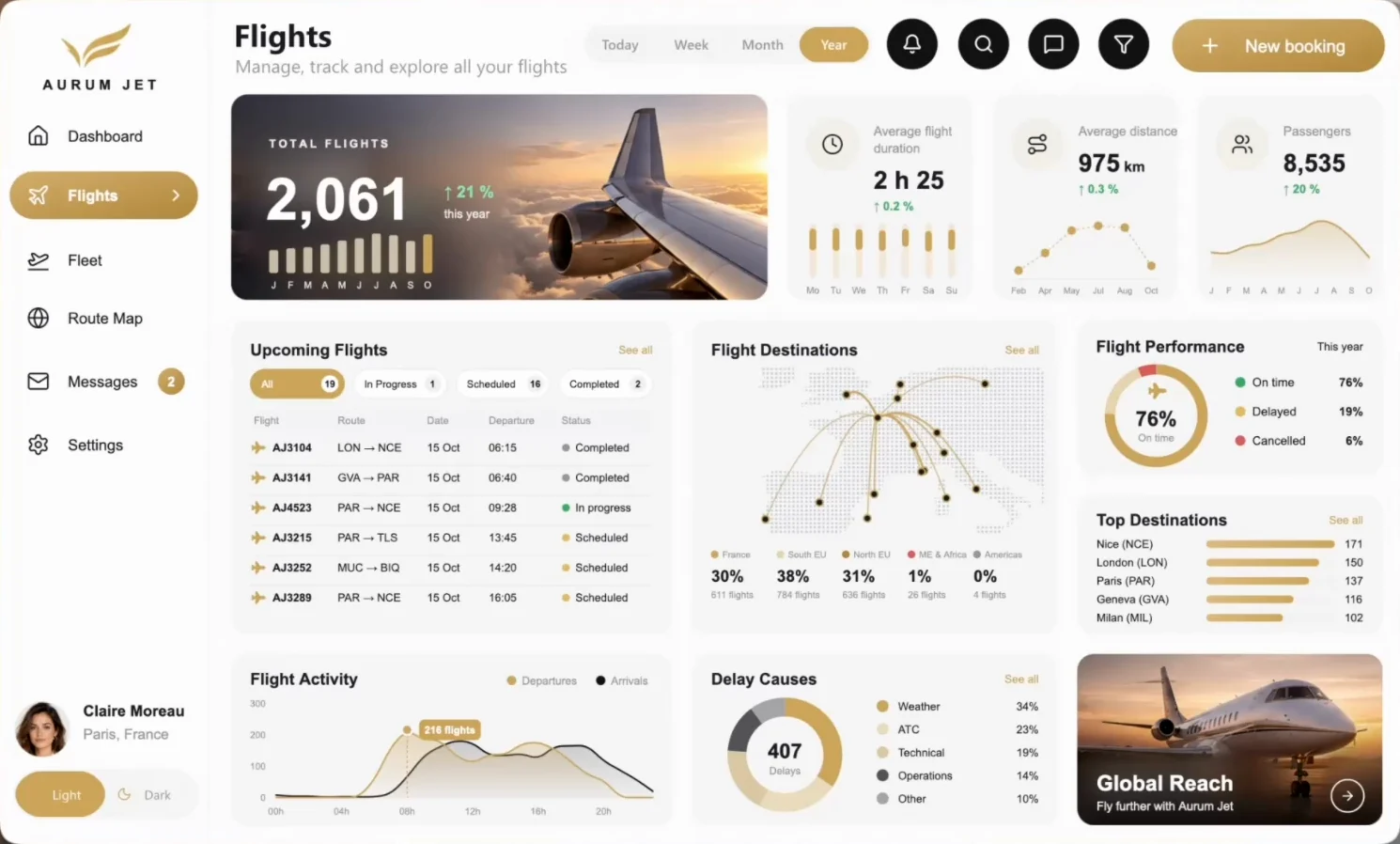
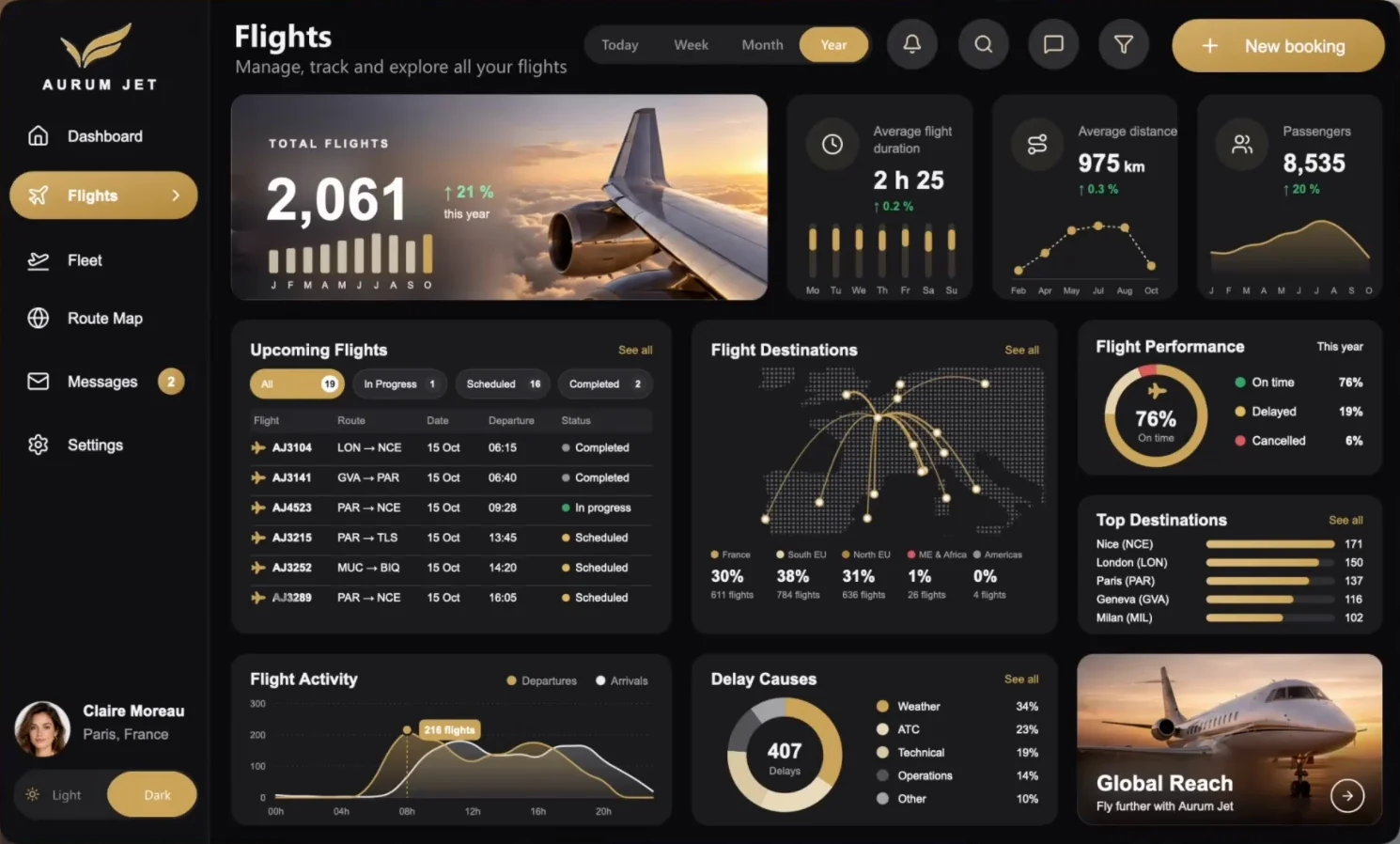
The Dashboard tells what is happening now, the Flights page explains it. The filter drawer and the New booking dialog open over the report like an app.
Three KPIs, the selected flight with its client, the current flight and its timeline, a speed or load gauge, the fleet card and the route map.
Light and Dark
One slicer,
every colour.
Every colour of every drawing is a DAX measure that reads the theme slicer. One click restyles the whole report, and each jet has its own Light and Dark photo.
What's inside
A real project, not a screenshot.
The files the agent wrote and Desktop opened, minus the caches. Open them in VS Code, read the measures, reuse the techniques.
AurumJet.zip · 2.3 MB
AurumJet/
├── AurumJet.pbip            the file to open
├── AurumJet.Report/         PBIR, one JSON per visual
├── AurumJet.SemanticModel/  TMDL, 168 measures
├── data/                    7 Parquet files
├── images/                  jets, portraits, photos
└── README.md                how to open it, EN and FR
- PBIP
- PBIR
- TMDL
- Parquet
- SVG
119 visuals. Not one is a chart.
Every chart, gauge and map you see is an SVG image drawn by a DAX measure, inside a native card.
- Cards59
- Slicers29
- Buttons22
- Images9
- Chart visuals0
- Custom visuals0
How it works
Five techniques,
all native.
What makes a report look like a web app, with the visuals that ship with Power BI. The DAX behind each one is in the article.
- 01
Light and Dark
Every colour is a measure that reads one slicer. One click restyles every drawing, and the photos switch too.
- 02
Native animations
Bars grow, gauges fill, the jet flies along its route: SVG animations inside the measures, no JavaScript.
- 03
Photos past 32,766 characters
Base64 photos split into chunks in a table and joined back by a measure. Each one follows the data.
- 04
A map that frames itself
No map visual. The land is one SVG path, scaled by DAX to fit the routes of the period.
- 05
Buttons that know the theme
The funnel opens the drawer that matches the theme: its destination is a measure, not a fixed page.

How it was built
From a mockup,
in two days.
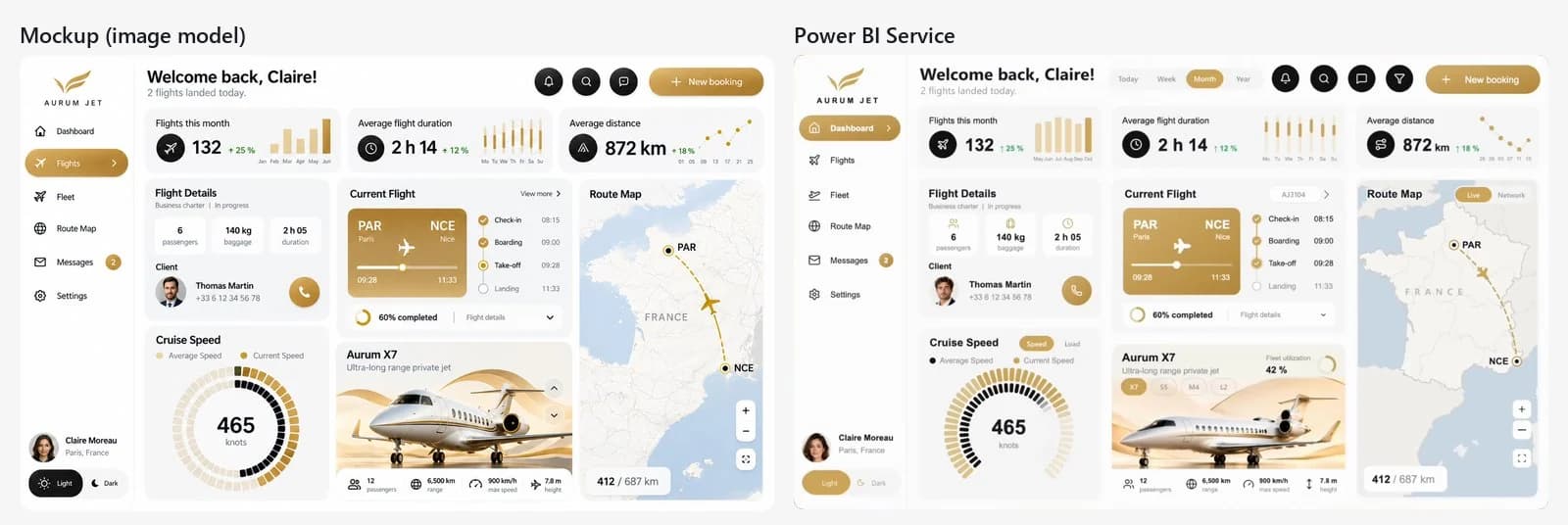
Claude Code wrote every file. The Power BI Desktop Bridge let it open the report in Desktop, look at its own render and click its own buttons, instead of guessing.
- 01
Mockups
Two images from an image model: the Dashboard, then the same Dashboard with its controls. They are the brief.
- 02
Data and model
Python generates 4,339 flights, calibrated on the mockup. The agent writes the model in TMDL: 17 tables, 168 measures.
- 03
Drawings
Every card is a DAX measure that returns an SVG image, with its animation and its Light and Dark colours.
- 04
The Desktop loop
Through the Power BI Desktop Bridge, the agent reloads the report, captures every page and clicks the buttons itself.
- 05
Review
Each round is reviewed against the mockup. The design direction, the photos and the final touches stay human. Two days in all.
Open it
Three steps, then refresh.
- 01
Unzip
Extract the folder to
C:\AurumJet. - 02
Open
Open
AurumJet.pbipin Power BI Desktop. - 03
Refresh
Click Refresh. The data loads from the Parquet files in seconds.
Unzipped somewhere else? In Desktop, open Transform data, then Edit parameters, and point DossierDonnees to the data folder. In Desktop, hold Ctrl to click the report buttons.
ChartCraft
Start from a designed base,
on your own model.
Aurum Jet is a showcase on a fictional model. ChartCraft Forge generates a designed Power BI project in one click, and its MCP server lets your agent forge one bound to your own semantic model. You take it from there.
Questions
Before you open it, the answers.
Icons by Lucide (ISC License). France map drawn from france-geojson (Etalab Open Licence 2.0), neighbouring countries from the World Borders Dataset (CC BY-SA 3.0). World land from Natural Earth (public domain). Photos, portraits and mockups generated with AI.