

Free Power BI project · Hand-built
Production Line Efficiency, one month picker for every KPI.
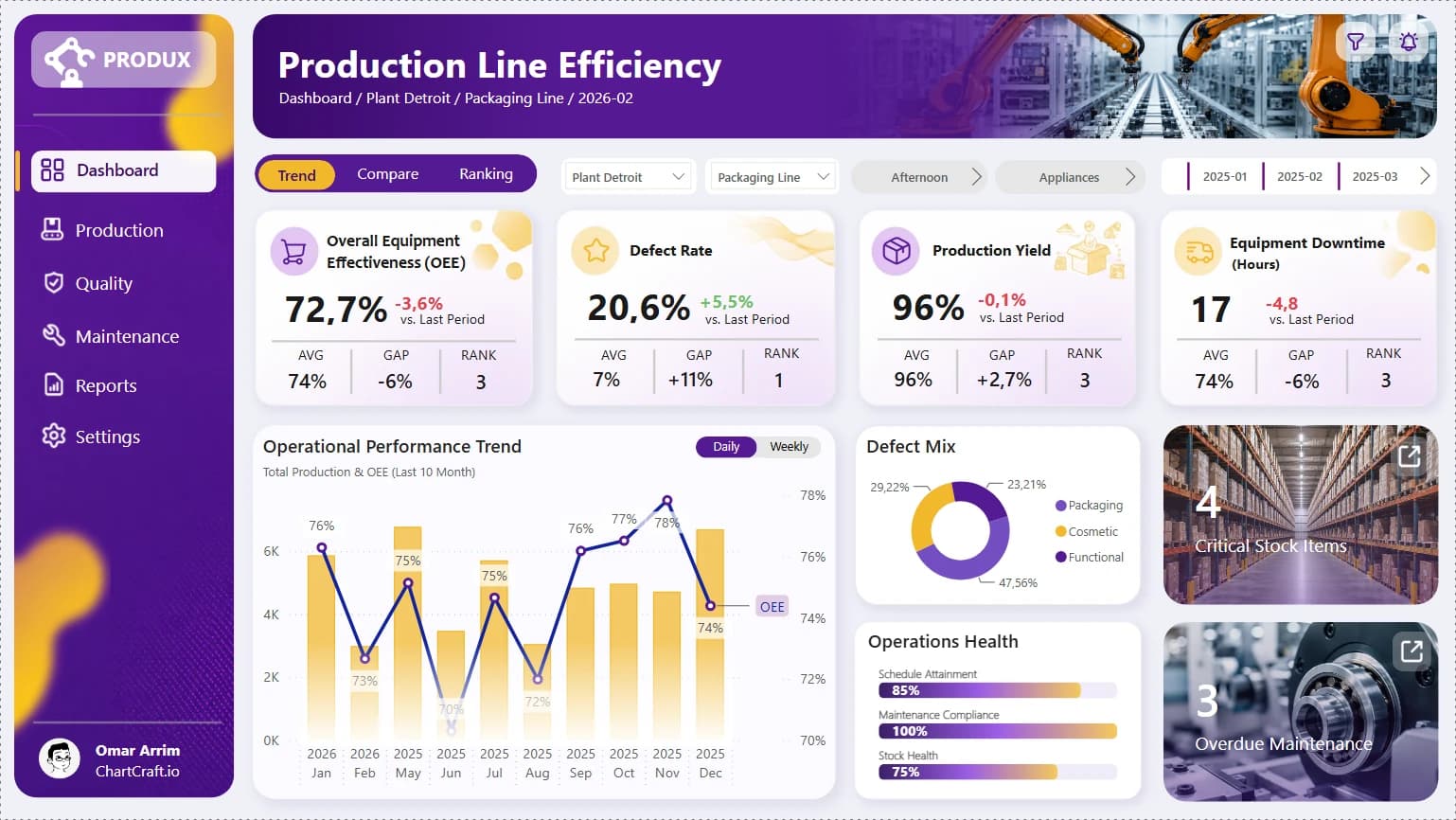
PRODUX, a fictional manufacturer with five plants, and its line efficiency report: OEE, defect rate, yield and downtime, each with its average, its gap to target and the rank of the plant. Built by hand in Power BI Desktop from a ChartCraft layout. Free to download and take apart.
16 MB zip · PBIP, PBIR, TMDL, CSV · Power BI Desktop for Windows
- visuals
- 115visuals
- DAX measures
- 57DAX measures
- rows of data
- 346,593rows of data
- plants
- 5plants
- custom visual
- 1custom visual
The report
One page, everything on it.
Four KPI cards with AVG, GAP and RANK, the production and OEE trend, the defect mix, operations health, and stock and maintenance alerts.
The secret
One month picker
for every KPI.
The month picker is a calculated table with no relationship to the model. Each KPI reads the chosen month with SELECTEDVALUE and computes itself for that month with REMOVEFILTERS on the calendar. The trend follows too: a flag measure keeps the ten months that end at the chosen one.
- 01
Four KPI cards
OEE, defect rate, production yield and downtime, each with its change on the previous month, computed by hand.
- 02
AVG, GAP and RANK
Under every KPI: the daily average, the gap to a target and the rank of the plant among the five.
- 03
Cards made of layers
A background image, native cards for the numbers, text boxes for the labels. No custom visual in the cards.
- 04
Operations Health in Deneb
Three progress bars drawn with a Vega-Lite spec, the one custom visual of the report.
How it was built
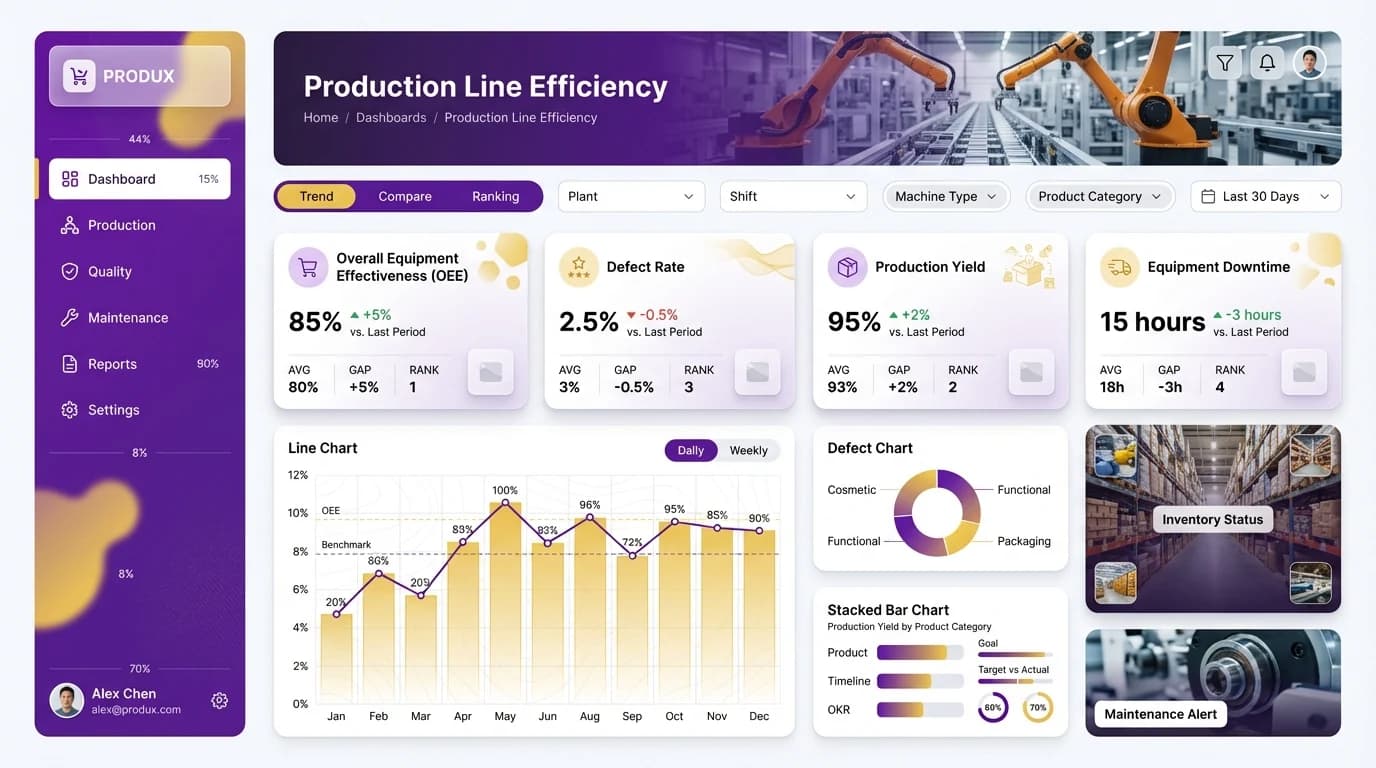
From a ChartCraft layout,
by hand in Desktop.
ChartCraft generated the layout. The report was then built visual by visual in Power BI Desktop, on a model and sample data generated by a script.
What's inside
The full project, minus the caches.
Open it in Power BI Desktop, or read the files in VS Code: one JSON file per visual, the model in TMDL, the data in CSV.
ProductionLineEfficiency.zip · 16 MB
ProductionLineEfficiency/
├── Production_Line_Efficiency.pbip            the file to open
├── Production_Line_Efficiency.Report/         PBIR, one JSON per visual
├── Production_Line_Efficiency.SemanticModel/  TMDL, 57 measures
├── data/                                      12 CSV files
└── README.md                                  how to open it, EN and FR
- PBIP
- PBIR
- TMDL
- CSV
- Deneb
What it needs
One custom visual, Deneb, free on AppSource. Power BI Desktop downloads it when the report opens.
- DenebOperations Health
The first time, you need an Internet connection, and your organization must allow AppSource visuals.
Want a report with no custom visual at all? See Aurum Jet.
Open it
Three steps, then refresh.
- 01
Unzip
Extract the folder to
C:\ProductionLineEfficiency. - 02
Open
Open
Production_Line_Efficiency.pbipin Power BI Desktop. - 03
Refresh
Click Refresh. The data loads from the CSV files of the data folder.
Unzipped somewhere else? In Desktop, open Transform data, then Edit parameters, and point DossierDonnees to the data folder.
ChartCraft
Want one like this,
on your own model?
ChartCraft Bespoke builds a report like this one for your team, bound to your model and in your brand. Or start from a designed base yourself: Forge generates a Power BI project in one click.
Questions
Before you open it, the answers.
Released under the MIT License. Icons from open sets on Iconify (MIT, ISC, Apache 2.0 and CC BY 4.0, listed in the repository). Deneb, MIT, from AppSource. Backgrounds, photos and illustrations generated with AI or made for the report.