

Free Power BI project · Hand-built
Employee Retention, a sidebar that opens and closes.
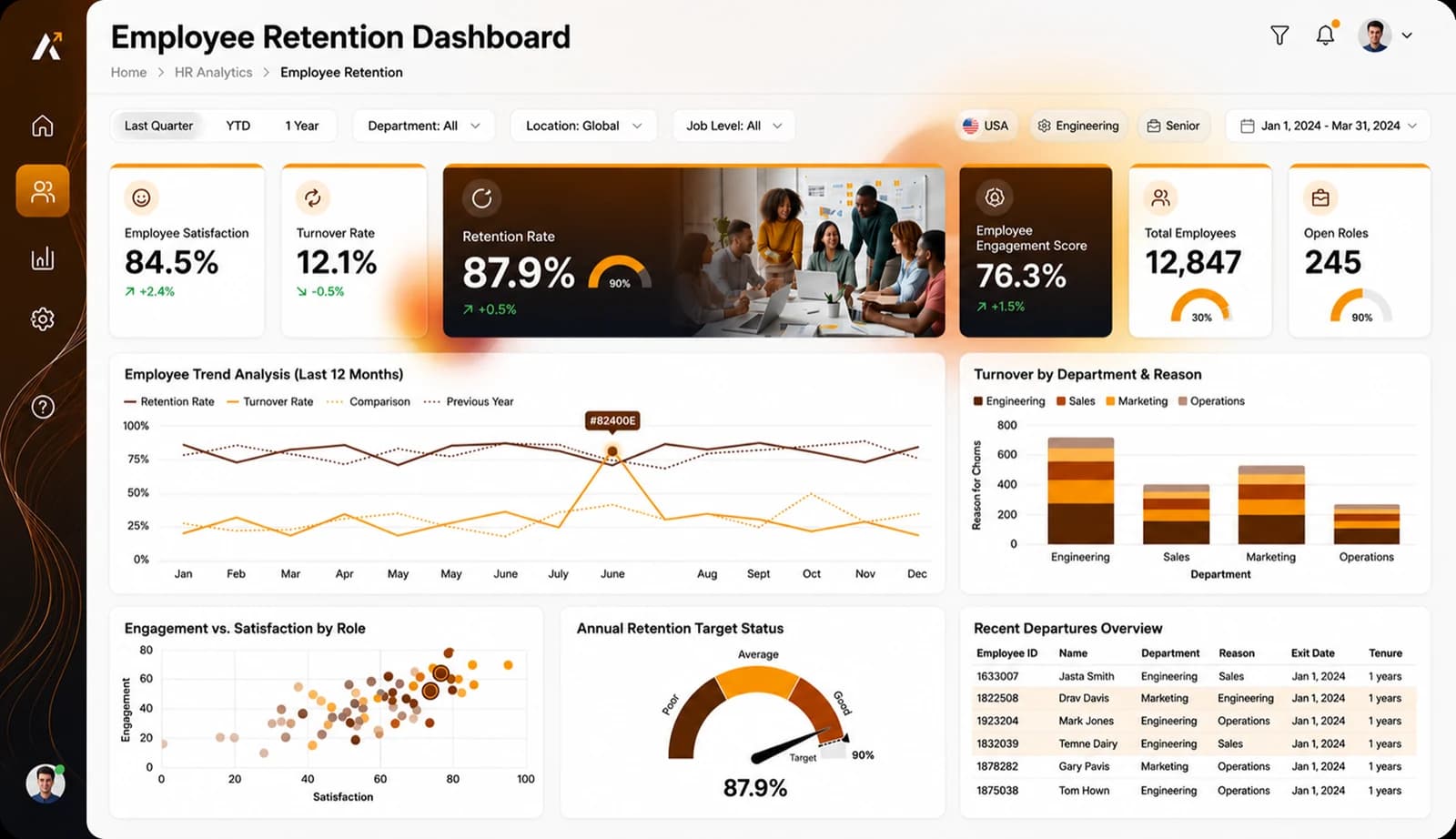
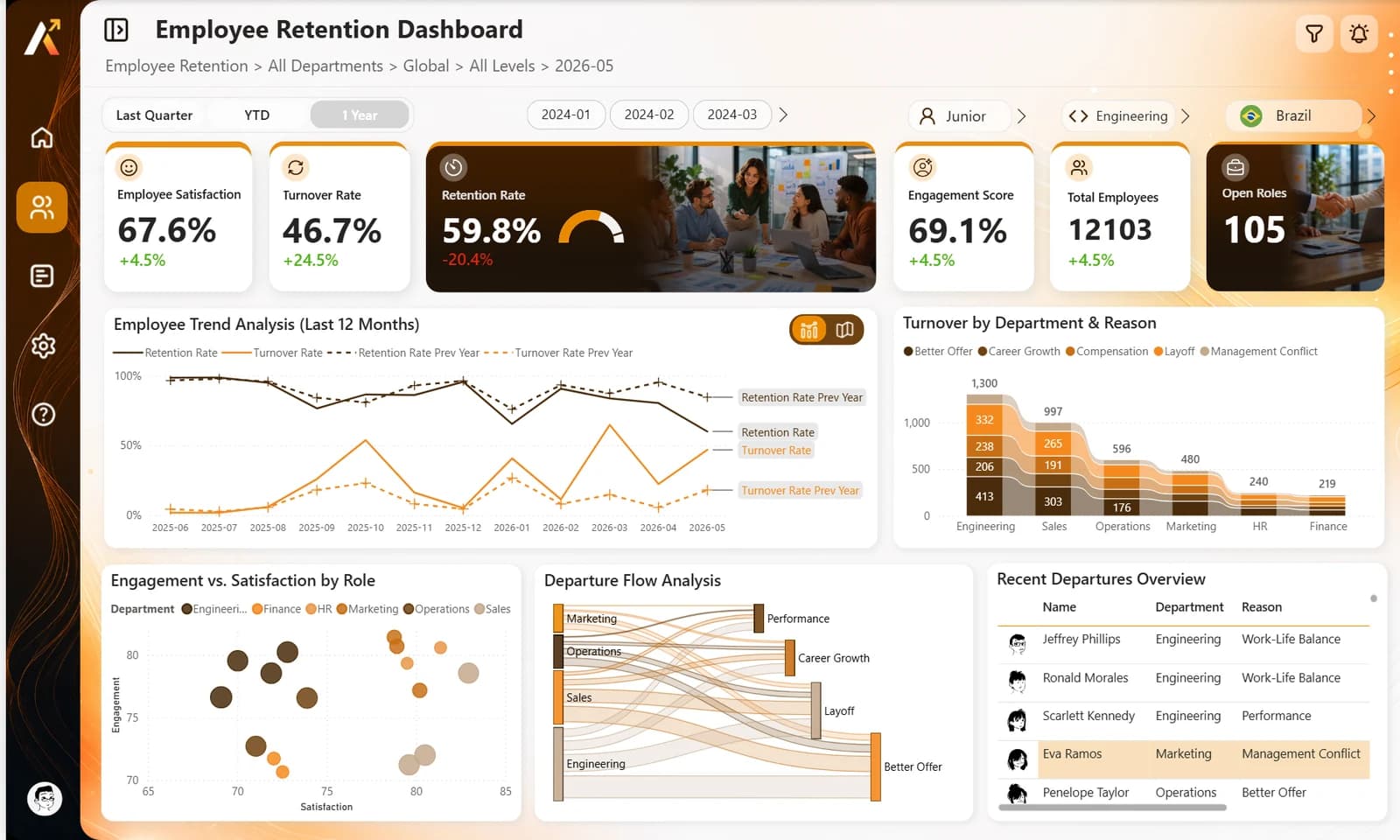
A fictional company, six departments in twelve cities, and its retention report: satisfaction, turnover, retention and engagement, a trend that turns into a map, a Sankey of departures and the latest leavers with their avatars. Built by hand in Power BI Desktop from a ChartCraft layout. Free to download and take apart.
27 MB zip · PBIP, PBIR, TMDL, CSV · Power BI Desktop for Windows
- visuals
- 75visuals
- DAX measures
- 40DAX measures
- rows of data
- 84,991rows of data
- bookmarks
- 5bookmarks
- custom visual
- 1custom visual
The report
One page, everything on it.
The opening view, then the states the buttons switch to.
Six KPI cards with a retention gauge, the twelve-month trend, turnover by department and reason, engagement against satisfaction, the departure flow and the latest leavers.
The secret
Bookmarks that only touch
a few visuals.
The sidebar and the chart or map switch are four bookmarks set to Selected visuals, with data turned off. Each one shows or hides its own group and leaves every other visual, and every filter, as it was.
- 01
Six KPI cards
Satisfaction, turnover, retention with its gauge, engagement, headcount and open roles, each against the previous month.
- 02
Filters with pictures
Job level, department and country are button slicers that show an image from the model: Lucide icons and round flags.
- 03
Avatars in the table
Every employee has an avatar URL, shown as an image column in the recent departures.
- 04
A Sankey of departures
From department to reason, drawn by the Sankey chart, the one custom visual of the report.
How it was built
From a ChartCraft layout,
by hand in Desktop.
ChartCraft generated the layout. The report was then built visual by visual in Power BI Desktop, on a model and sample data generated by a script.
What's inside
The full project, minus the caches.
Open it in Power BI Desktop, or read the files in VS Code: one JSON file per visual, the model in TMDL, the data in CSV.
EmployeeRetention.zip · 27 MB
EmployeeRetention/
├── Employee_Retention.pbip            the file to open
├── Employee_Retention.Report/         PBIR, with its 5 bookmarks
├── Employee_Retention.SemanticModel/  TMDL, 40 measures
├── data/                              13 CSV files
└── README.md                          how to open it, EN and FR
- PBIP
- PBIR
- TMDL
- CSV
- Bookmarks
What it needs
One custom visual, Sankey chart, free on AppSource. Power BI Desktop downloads it when the report opens.
- Sankey chartDeparture Flow Analysis
The first time, you need an Internet connection, and your organization must allow AppSource visuals. The map is an Azure Maps visual: in Power BI Desktop it draws once you are signed in to a Power BI account. The avatars, flags and icons are image URLs stored in the data: keep an Internet connection to see them.
Want a report with no custom visual at all? See Aurum Jet.
Open it
Three steps, then refresh.
- 01
Unzip
Extract the folder to
C:\EmployeeRetention. - 02
Open
Open
Employee_Retention.pbipin Power BI Desktop. - 03
Refresh
Click Refresh. The data loads from the CSV files of the data folder.
Unzipped somewhere else? In Desktop, open Transform data, then Edit parameters, and point DossierDonnees to the data folder.
ChartCraft
Want one like this,
on your own model?
ChartCraft Bespoke builds a report like this one for your team, bound to your model and in your brand. Or start from a designed base yourself: Forge generates a Power BI project in one click.
Questions
Before you open it, the answers.
Released under the MIT License. Icons from open sets on Iconify (MIT, ISC, Apache 2.0 and CC BY 4.0, listed in the repository). Avatars by DiceBear (Lorelei, CC0), flags by circle-flags (MIT). Sankey chart by Microsoft, MIT. Backgrounds and photos generated with AI or made for the report.