

Free Power BI project · Hand-built
CarePulse, a hospital floor plan as a map.
A fictional hospital campus with ten wings, and its operations center: wait time, staff efficiency, bed occupancy and satisfaction, read on the plan of the site itself. Click a KPI card and every wing takes its colour. Built by hand in Power BI Desktop from a ChartCraft layout. Free to download and take apart.
13 MB zip · PBIP, PBIR, TMDL, CSV · Power BI Desktop for Windows
- visuals
- 63visuals
- DAX measures
- 71DAX measures
- rows of data
- 177,054rows of data
- wings on the map
- 10wings on the map
- custom visuals
- 2custom visuals
The report
One page, everything on it.
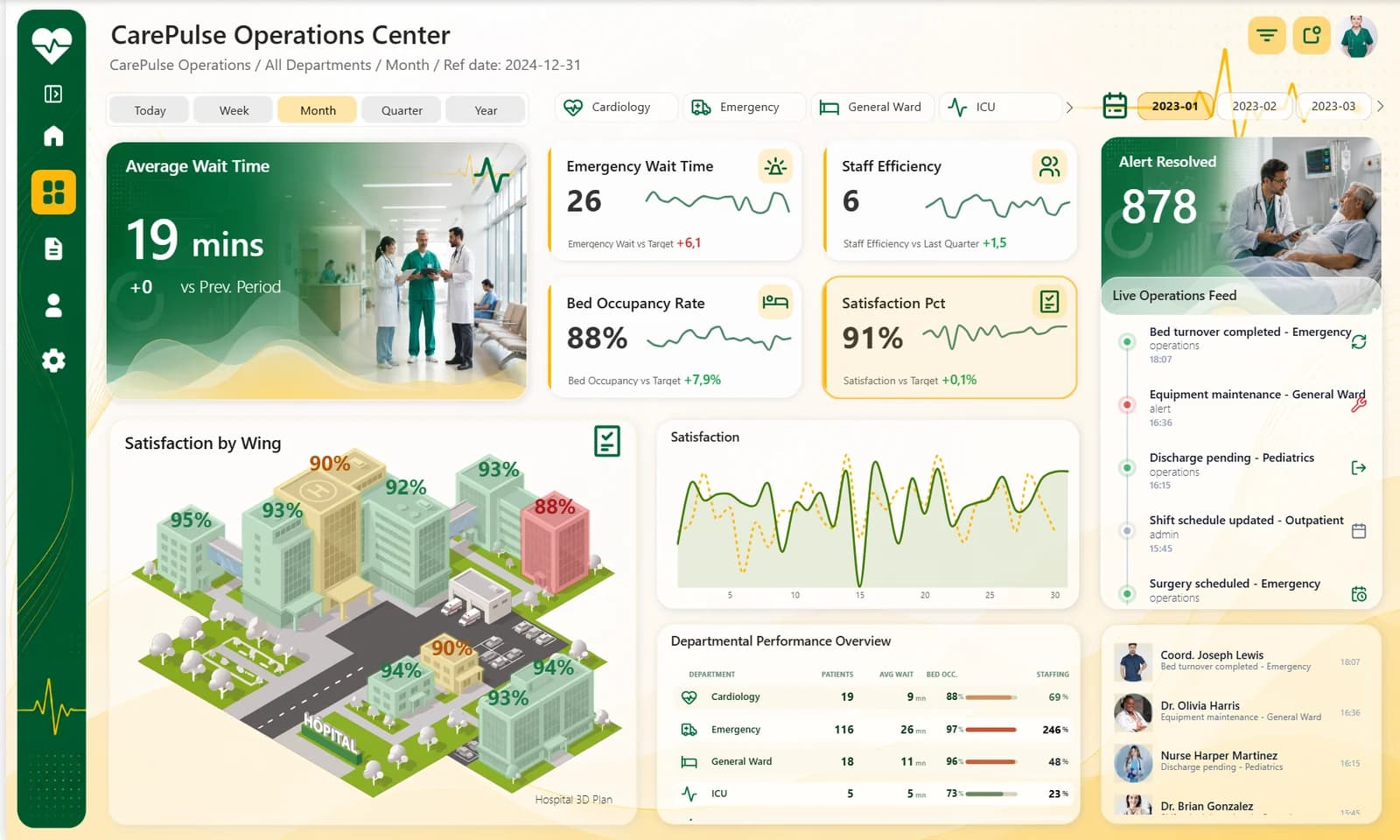
Wait time, staff efficiency, bed occupancy and satisfaction cards with their trend, the campus plan, bed occupancy over the month, the departments and the live feeds.
The secret
One floor plan,
four indicators.
Synoptic Panel turns the plan of the campus into a map. The four KPI cards above it choose the indicator, and every wing takes its colour.
- 01
A plan made for the report
The campus was drawn for CarePulse, with one named shape per wing. It ships in the download as an SVG.
- 02
A period switch
Today, Week, Month, Quarter and Year, with a month picker and department buttons that carry their icon.
- 03
Tables and feeds in Deneb
The department table and two feeds are Vega-Lite specs, with icons and portraits stored in the model as data URIs.
- 04
A sidebar that opens and closes
Two bookmarks that only touch the visuals of the sidebar, so your filters stay where they are.
How it was built
From a ChartCraft layout,
by hand in Desktop.
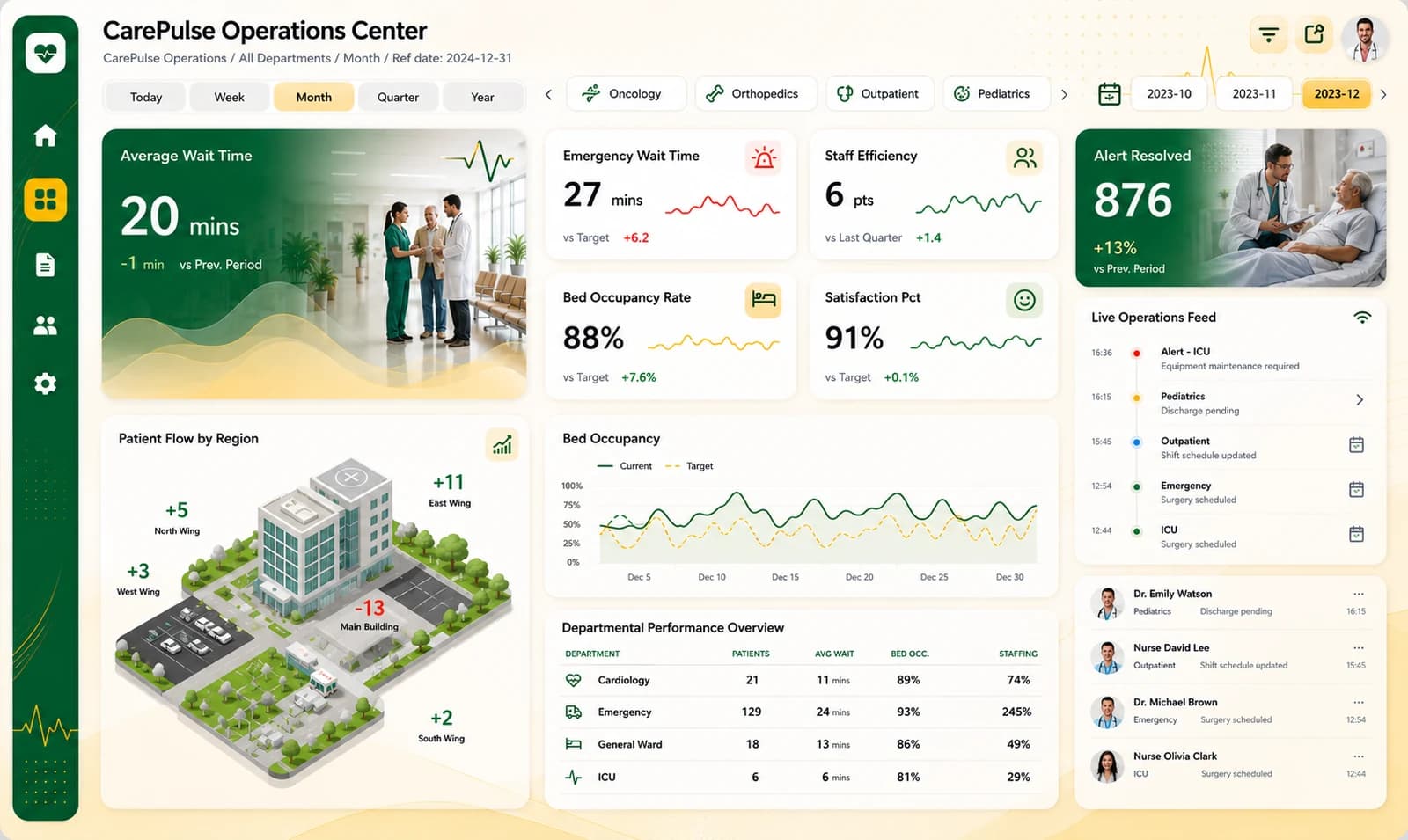
ChartCraft generated the layout. The report was then built visual by visual in Power BI Desktop, on a model and sample data generated by a script.
What's inside
The full project, minus the caches.
Open it in Power BI Desktop, or read the files in VS Code: one JSON file per visual, the model in TMDL, the data in CSV.
CarePulse.zip · 13 MB
CarePulse/
├── CarePulse_Ops.pbip            the file to open
├── CarePulse_Ops.Report/         PBIR, one JSON per visual
├── CarePulse_Ops.SemanticModel/  TMDL, 71 measures
├── data/                         14 CSV files
├── images/                       the campus plan, in SVG
└── README.md                     how to open it, EN and FR
- PBIP
- PBIR
- TMDL
- CSV
- SVG
What it needs
2 custom visuals, free on AppSource. Power BI Desktop downloads them when the report opens.
- Synoptic PanelThe campus plan
- DenebThe department table and the two feeds
The first time, you need an Internet connection, and your organization must allow AppSource visuals.
Want a report with no custom visual at all? See Aurum Jet.
Open it
Three steps, then refresh.
- 01
Unzip
Extract the folder to
C:\CarePulse. - 02
Open
Open
CarePulse_Ops.pbipin Power BI Desktop. - 03
Refresh
Click Refresh. The data loads from the CSV files of the data folder.
Unzipped somewhere else? In Desktop, open Transform data, then Edit parameters, and point DossierDonnees to the data folder.
ChartCraft
Want one like this,
on your own model?
ChartCraft Bespoke builds a report like this one for your team, bound to your model and in your brand. Or start from a designed base yourself: Forge generates a Power BI project in one click.
Questions
Before you open it, the answers.
Released under the MIT License. Icons from open sets on Iconify (MIT, ISC, Apache 2.0 and CC BY 4.0, listed in the repository). Staff portraits from Pexels (Pexels License). Synoptic Panel by OKVIZ and Deneb (MIT), from AppSource. Campus plan, backgrounds and illustrations generated with AI or made for the report.