

Free reports
A hospital floor plan as a Power BI map
CarePulse shows hospital operations on the plan of the campus itself: ten wings coloured by wait time, staffing, bed occupancy or satisfaction. A free Power BI report.
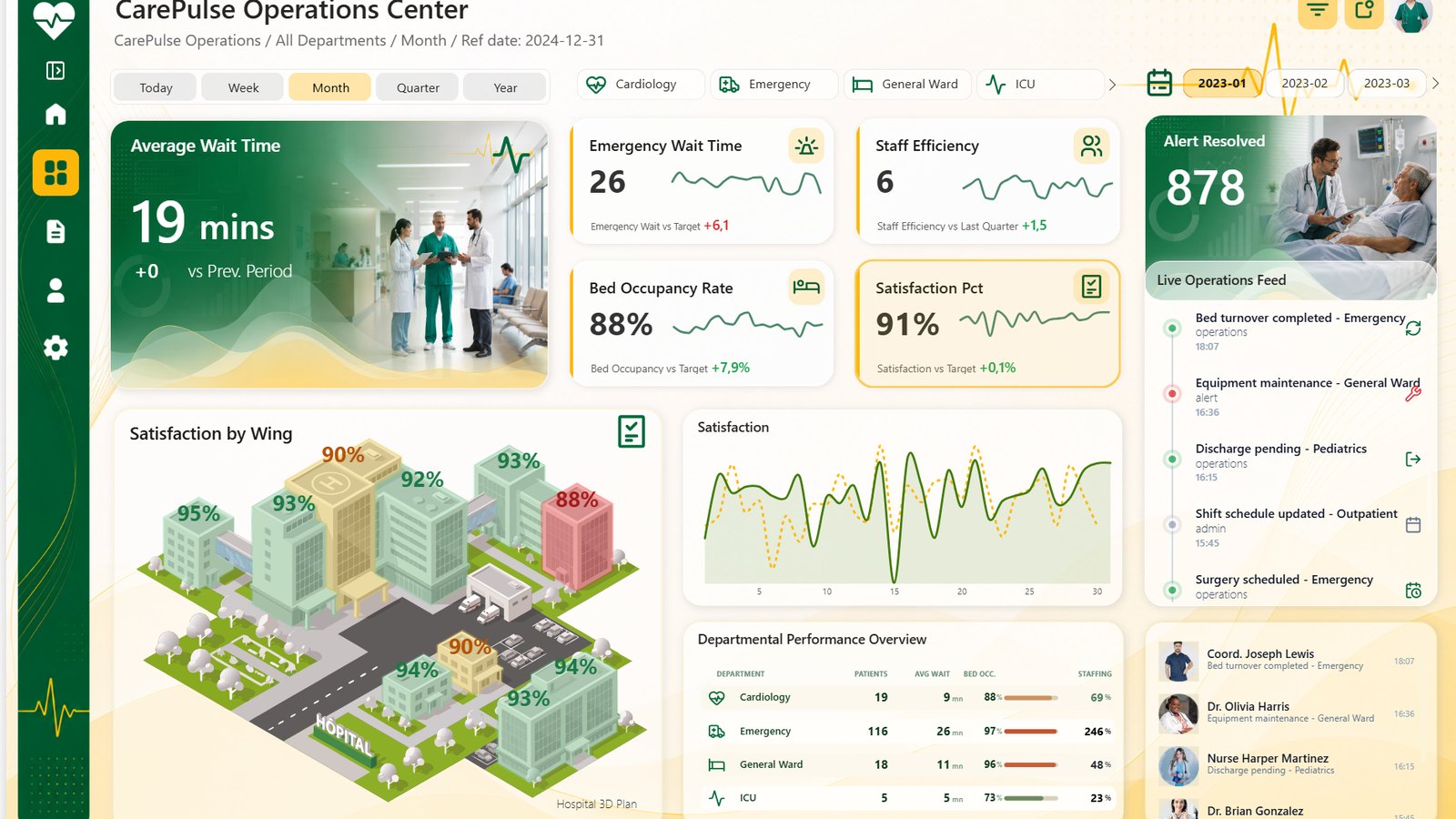
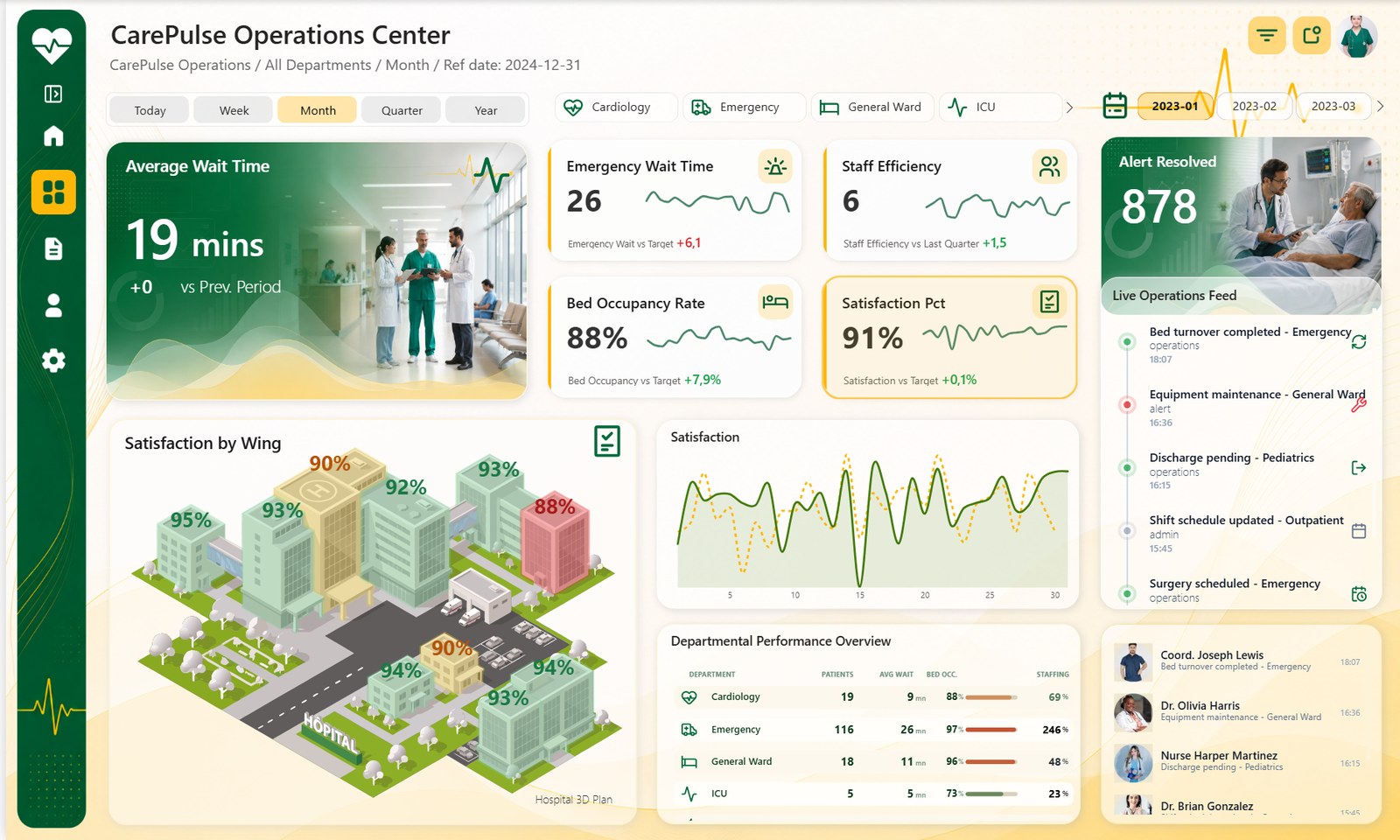
In the middle of the CarePulse Operations Center report there is a hospital campus, drawn in isometric view: ten wings, roads, a car park, trees. Each wing carries a number and a colour. Click the Bed Occupancy card at the top of the page, and the wings show their occupancy, red where they are full. Click Satisfaction, and the same wings show percentages.
A shift coordinator reading a table that says "Emergency, 116 patients, 97% occupancy" has every number, but still has to turn a department name into a place: which building, how far from the wings that still have beds. On the plan, the place comes with the number.
Why a floor plan and not a map
Power BI's map visuals work at geographic scale: on a world map, a whole hospital campus is a single point. What the report needed was the plan of the site, with each wing as its own area.
Synoptic Panel, a custom visual by OKVIZ, does exactly that: any image can become a map, as long as its areas are named. A floor plan, a production line or a machine works the same way as a campus.
Its free version allows fifteen data points per visual. A campus has a fixed number of wings, ten here, whatever the volume of patients, so the free version covers it.
What the map does
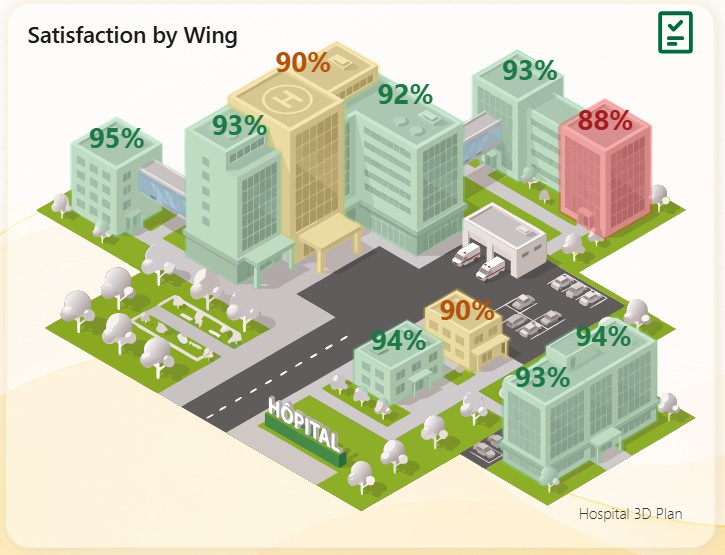
- One plan, four indicators. The four KPI cards above the map (wait time, staff efficiency, bed occupancy, satisfaction) also choose what the map shows. The same ten wings answer four different questions.
- Colours that follow the indicator. Green, gold and red keep their meaning, but the rule changes: high occupancy is bad, high satisfaction is good.
- A plan made for the report. The campus was drawn for CarePulse, with one named shape per wing. It is in the download, as an SVG.
- A map like any other visual. The period and department filters at the top filter it, and a wing shows its details on hover.
What else is in the report
Around the map, the page has the other pieces of an operations center: KPI cards with their trend line, a Today, Week, Month, Quarter and Year switch, department buttons with their icons, bed occupancy over the month, a department table and two live feeds drawn with Deneb, with the staff portraits.
Take it apart
CarePulse is free under the MIT License: the report in PBIR, the model in TMDL with its 71 measures, the data in CSV, and the campus plan as an SVG. It uses two free custom visuals from AppSource, Synoptic Panel and Deneb, which Power BI Desktop downloads when the report opens.
- See the report and download it
- Want a report like this one, built on your own model? That's ChartCraft Bespoke.